Construction Invoice Software vs. Generic Invoicing Tools: What’s the Difference?
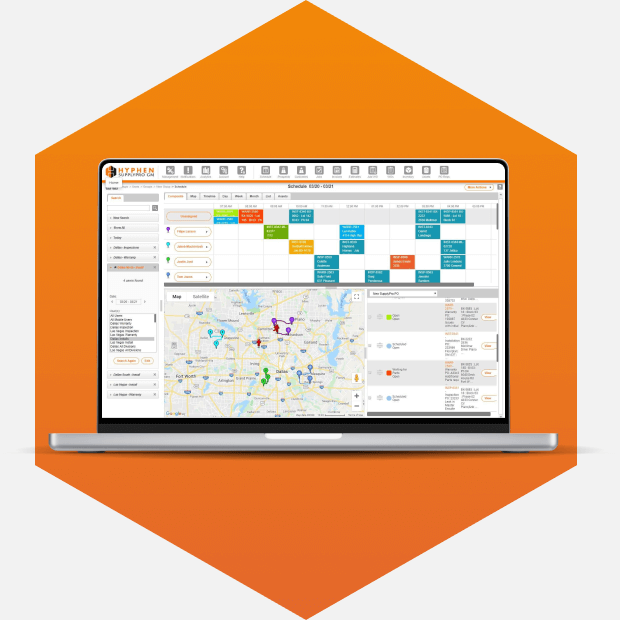
For Suppliers and Trades working in residential construction, invoicing involves more than creating a bill and sending it to a customer. Builder purchase orders, job completion, schedule changes, field documentation, accounting, and payments all play a role in getting an invoice out the door.
This is where construction invoice software differs from generic invoicing tools. General-purpose software can handle basic invoicing and accounting tasks, but it is not built around the way residential Trades work with production Builders.
Construction-specific software connects invoicing with the work that comes before it, from Builder orders and field operations to billing and accounting.
Why This Comparison Matters for Residential Trades
For residential Trades and Suppliers, invoicing is only one step in a much larger process.
Once a Builder sends an order, the job needs to be scheduled, crews need to complete and document the work, and any changes need to be communicated before the invoice can be created and submitted.
When these steps happen across disconnected systems, teams are left moving information between Builder systems, field operations, invoicing tools, and accounting software.
Generic invoicing tools can handle the financial side of the process, but they are not designed around the realities of working with production Builders. They typically lack direct Builder network connections and construction-specific capabilities such as lien waiver tracking and Builder-connected payment workflows.
For Trades and Suppliers managing multiple Builders, jobs, crews, and orders, those gaps can create extra work.
What Generic Invoicing Tools Do Well (And Where They Stop)
Generic invoicing and accounting software serves an important purpose. Solutions such as QuickBooks Online can help businesses create invoices, track financial information, and manage their accounting, but the challenge is what happens outside of those tools.
A generic invoicing tool does not know when a Builder issues a new purchase order, changes a schedule, or when a crew completes work in the field. It also is not built around lien waivers and Builder payment requirements.
That leaves Trades and Suppliers filling in the gaps. Teams may need to pull information from Builder systems, wait for field updates, manually enter invoice information, and then move that information into their accounting system.
The same challenge can apply to generic AP tools. They can help manage the financial side of payment, but they are not built to connect Builder orders, field completion, and other residential construction workflows with billing.
What Construction Invoice Software Actually Does Differently
Construction invoicing software goes beyond creating and sending an invoice. It connects billing with the information needed to manage the work leading up to it.
For residential Trades and Suppliers, that includes Builder orders, schedules, field activity, job completion, documentation, billing, and accounting.
Instead of managing those steps separately, construction-specific software keeps more of the information connected as a job moves from order to completion and billing.
That is where SupplyPro GM comes in. Built for residential Suppliers, Manufacturers, and Trades, SupplyPro GM connects Builder information with scheduling, field operations, billing, and accounting.
The Pay App Problem: Why Builder Timing Changes Everything
In residential construction, completing the work does not always mean an invoice is immediately ready for payment. Billing depends on Builder requirements, job status, completion information, and payment timing.
Generic invoicing tools can create and send an invoice, but they are not connected to the Builder processes that determine when billing can move forward. Trades and Suppliers may be left tracking job completion and payment requirements across separate systems.
Construction-specific software helps close that gap by connecting billing with the Builder and job information needed to move work toward payment.
Lien Waivers, Compliance, and Why Generic Tools Ignore Them
Lien waivers are an important part of the construction payment process, but generic invoicing tools typically do not include lien waiver tracking. These tools are built for general invoicing and accounting, not the payment requirements that come with residential construction.
That can leave Trades and Suppliers managing lien documentation separately from billing and payment.
SupplyPro GM supports lien release automation for Suppliers, Manufacturers, and Trades, helping keep lien documentation connected with billing and payments instead of tracking it through a separate process.
Side-by-Side: Generic vs. Construction-Specific vs. SupplyPro GM
| Capability | Generic Invoicing Tools | Construction-Specific Software | SupplyPro GM |
| Customer billing | Yes | Yes | Yes |
| Builder orders and scheduling | Typically separate | Depends on software | Yes |
| Scheduling and field management | Typically separate | Varies | Yes |
| Connect field completion with billing | Typically separate | Varies | Yes |
| Lien release automation | Typically separate | Varies | Yes |
| Accounting software integration | Varies | Varies | Yes |
| Built for residential Suppliers, Manufacturers, and Trades | No | Depends on software | Yes |
The biggest difference is what the software can manage before and after the invoice is created.
Generic tools focus primarily on the financial transaction. Construction-specific software connects more of the operational process to billing. SupplyPro GM brings Builder information, scheduling, field operations, billing, and accounting together for residential Suppliers, Manufacturers, and Trades.
How to Know Which One You Actually Need
A generic invoicing tool may be enough if your billing process is straightforward and your team does not need to coordinate information across Builder systems, field operations, and construction-specific payment requirements.
If you work with production Builders, however, there is more to consider than whether the software can create an invoice.
Take a look at your current process. Does your team:
- Re-enter Builder orders or invoice information manually?
- Move between disconnected systems to manage Builder orders and changes?
- Wait for field updates before knowing work is complete?
- Manage lien releases outside of the invoicing process?
- Use separate systems for scheduling, field management, and billing?
- Manually connect completed work with billing?
- Transfer billing information into accounting software?
If several of these sound familiar, your invoicing software may only be solving one part of the problem.
SupplyPro GM is purpose-built for residential Suppliers, Manufacturers, and Trades. It connects Builder order and schedule information with field operations, job completion, billing, and accounting, giving teams one place to manage the process. With integrations to accounting systems such as QuickBooks Online, businesses can continue using the accounting software they already rely on while connecting it with their day-to-day operations.
For residential Trades and Suppliers, the right invoicing software for construction should do more than create an invoice. It should connect the work that leads up to it.
Ready to connect your Builder orders, field operations, invoicing, and accounting?
Explore SupplyPro GM to see how you can connect Builder orders, field operations, invoicing and accounting in one more connected workflow.
Frequently Asked Questions
Construction invoice software connects billing with industry-specific processes like Builder orders, field completion, lien releases, and accounting. Generic tools primarily focus on invoicing and financial management.
Yes. SupplyPro GM integrates with QuickBooks Online to connect residential construction operations with the accounting software you already use.
Look for software that connects Builder information, scheduling, field completion, billing, lien releases, and accounting.