SUPPLYPRO GM INTEGRATIONS
SupplyPro GM: Construction Software That Integrates With QuickBooks
QuickBooks Integration for Suppliers and Contractors: Here Is What That Actually Means
SupplyPro GM is construction project management software that integrates with QuickBooks Online, built specifically for residential Suppliers and Trades. You’re not replacing QuickBooks, you’re keeping it because it works for your accounting.
But managing jobs, work orders, schedules, and invoices outside of QuickBooks? That’s where things break down. SupplyPro GM connects your field operations directly to QuickBooks Online, syncing project information, schedules, and Builder-issued orders so your team can manage scheduling, field progress, invoicing, and job completion before everything flows back to QuickBooks.
We don’t reduce data entry, we eliminate it, which means less redundant work, faster reporting, and more accurate visibility into both your operations and financials.
No double entry, no disconnected workflows and no guessing what’s been sent, updated, or paid.
Keep QuickBooks Online because it’s working, connect SupplyPro GM and gain project, schedule and field management, and eliminate the manual work around it.
Request a Demo
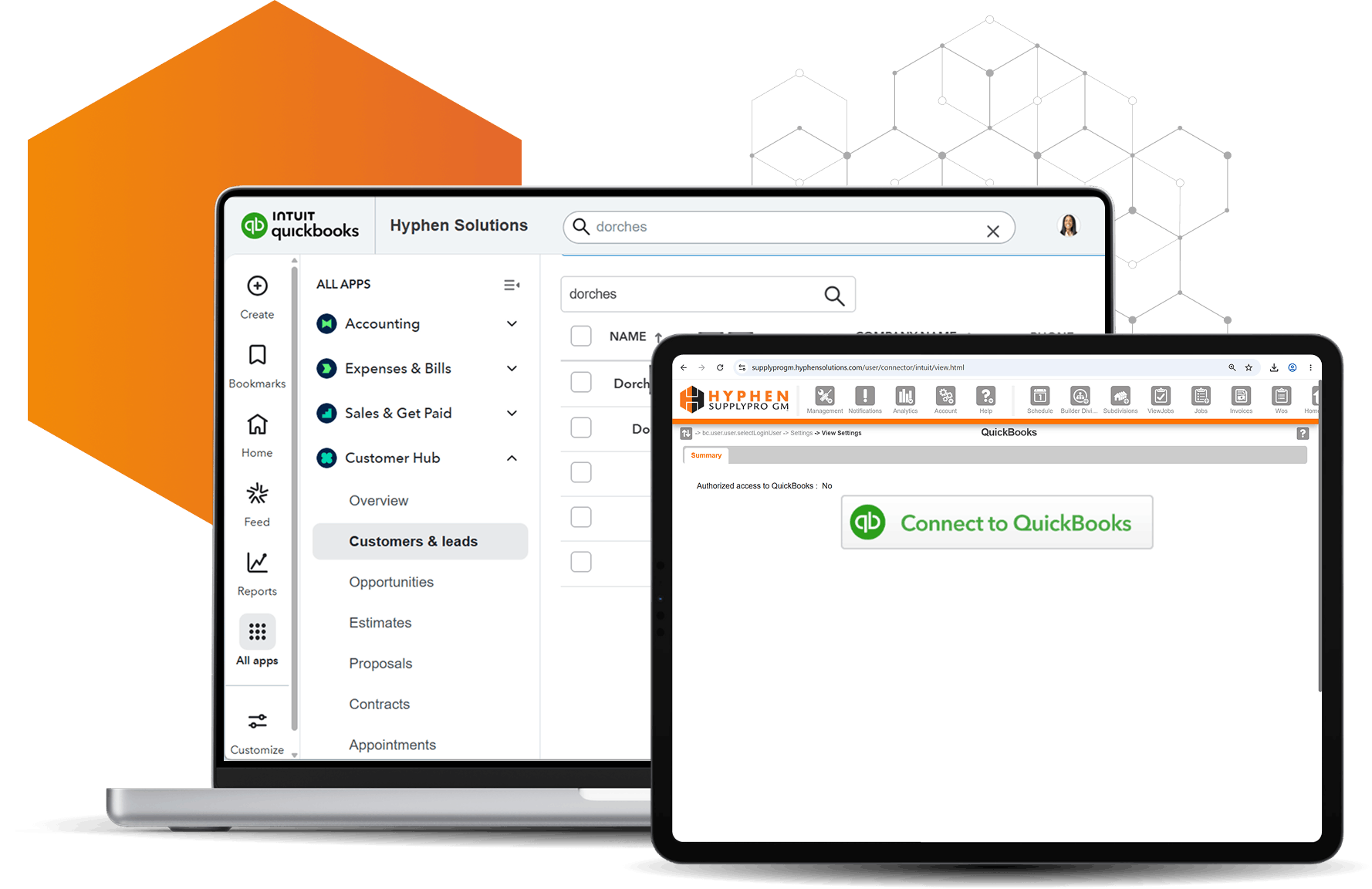
Run Your Business Without Re-Entering Data
- Automatic sync of Builder issued orders with project and schedule information from your Builders’ system
- Sync customer, job, invoices and more between SupplyPro GM and QuickBooks
- Eliminate duplicate entry between field and accounting
- Keep office and field teams aligned in real-time
- Manage jobs, work orders, and scheduling from the field with a mobile app

You're Keeping QuickBooks. SupplyPro GM's Construction Software Makes It Work Harder
You’re not replacing QuickBooks, you’re making it work better.
QuickBooks is already doing what you need it to do like handling your accounting, reporting, and financials. For most Suppliers and Trades, it does a good job and is not something you’re looking to replace.
What’s missing isn’t accounting. It’s everything else you manage day to day like job progress, scheduling, work orders, dispatching and keeping it all connected to your books.
SupplyPro GM doesn’t replace QuickBooks. It works alongside it, connecting your job and field operations directly to your accounting system. Two systems doing what they do best, working together to simplify how you run your business.
That means no expensive ERP migration, no long implementation process, and no need to retrain your team on a completely new solution.
You keep what works and add what’s missing:
- Job and order management tied to Builder workflows
- Scheduling and real-time job visibility
- Automated data flow from field to accounting
Instead of forcing QuickBooks to do more than it was designed for, you extend it with tools built specifically for how Suppliers actually operate.

What Syncs Between SupplyPro GM and QuickBooks Online
QuickBooks Online gives you the financial reporting and visibility your business depends on but keeping it up to date means constant, tedious and expensive data entry.
When job details, work orders, and invoices live outside of QuickBooks, your team ends up re-entering the same information just to keep accounting up to date. That slows everything down and where mistakes start to happen.
SupplyPro GM changes that by connecting your operations and field management directly to QuickBooks, so the data created in the field flows automatically into your accounting system.
With SupplyPro GM, the following data syncs to QuickBooks:
- Customers, subdivisions and job information
- Customer invoices for completed work
- Vendors, purchase orders and expenses
- Items and tax information
Instead of manually entering the same data twice, your team works from one connected solution, with accurate information flowing from the field to accounting in real-time.
That means less time spent on data entry, faster access to financial data, and better visibility into your business without waiting on accounting to catch up.
Need to get paid faster too? See how Hyphen Wallet ePayments fits in.

Still Using SupplyPro?
See how Suppliers, Manufacturers, and Trades are extending their workflow with SupplyPro GM. “SupplyPro GM Playbook: The Next Generation of SupplyPro” is the go-to guide for any existing SupplyPro user.
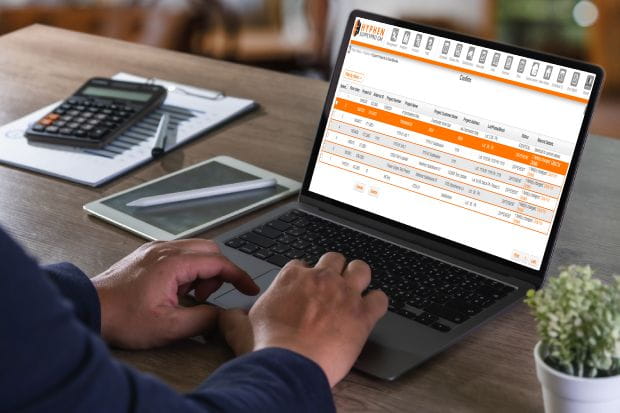
What You Stop Doing Manually
Most of the work required to keep QuickBooks up to date isn’t complicated, it’s just manual.
Re-entering and updating customers, jobs, invoices, and purchase orders takes time and opens the door for mistakes. It’s especially frustrating when that information already exists somewhere else.
Instead of entering the same data twice, your team can focus on approving and reconciling with accurate information already in place. You get fewer mistakes, less back-and-forth, and faster access to the numbers you actually care about.
Here’s what you can stop doing manually:
- Entering customer and job information into QuickBooks
- Creating invoices from completed work
- Keying in Builder-issued orders and job details
- Re-entering purchase orders and expenses in accounting
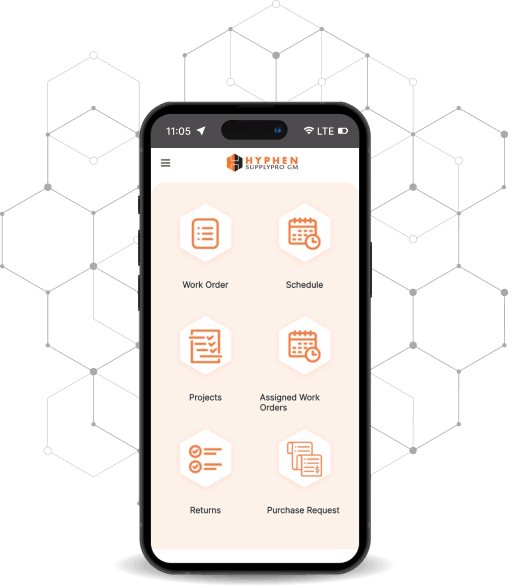
How the Integration Works in Your Day-to-Day Workflow
This isn’t just a connection between systems; it’s how your day actually runs.
When a Builder issues a new order from BuildPro or BuilderGM, all the key details like job information, schedule, and project data are automatically available in SupplyPro GM. A new project is created, along with a work order and a customer invoice will be ready to go when you’re ready.
Your field teams can use the mobile app to manage job progress and mark work as complete in real-time. Once the job is completed, the invoice is already created and can be edited if needed or pushed as is directly to QuickBooks Online.
No re-entry, no delays and no guessing about what’s been invoiced or completed. It’s a connected workflow from Builder → Operations/ Field → Accounting so your entire team stays aligned from start to finish.
- Review incoming orders and confirm details
- Dispatch the job to your construction install team
- Schedule work, material requirements and assign crews based on availability
- Add internal notes, materials, or job-specific requirements
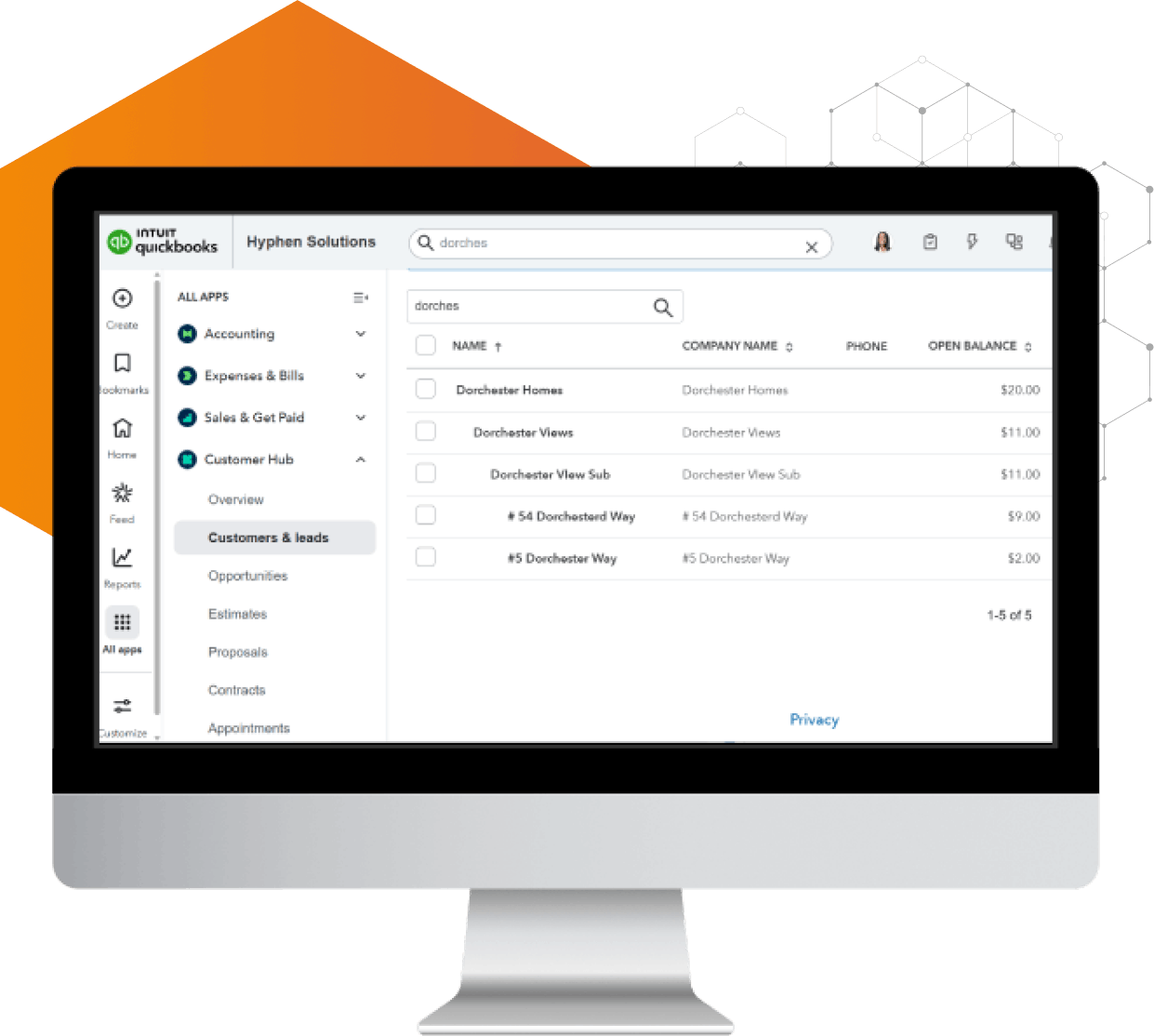
Works With QuickBooks Online
An integration only matters if it’s easy to set up and easy to use day to day.
Getting started is straightforward. As long as you’re logged into both systems, you can connect SupplyPro GM to QuickBooks in just a few clicks, no complex setup or long onboarding process.
Once connected, you have flexibility in how data moves between systems:
- Push individual records or invoices to QuickBooks as you review them
- Or use a batch approach to sync updates automatically
- Keep both systems aligned without manual reconciliation
Whether you prefer to control what gets sent or let the system handle it for you, your data stays accurate and in sync.
This is one of several SupplyPro GM integrations built to connect your existing tools.
Built for Suppliers and Contractors' Project Management, Not Enterprise Accounting Teams
QuickBooks works because it’s simple and easy to use, and SupplyPro GM’s construction software is built the same way.
You don’t need a complex ERP system, a long implementation, or a dedicated IT team just to connect your job management to accounting. SupplyPro GM is designed to get you up and running quickly, without adding unnecessary complexity.

Easy to Set Up

Works With Your Existing Data

Built for How You Work

Up and Running Quickly
Today You're Working Like This. There's a Better Way.
This is the difference between working around QuickBooks and actually connecting your entire operation to it.
| Today you're dealing with… | With SupplyPro GM, you can… |
|---|---|
|
Today you're dealing with…
Re-entering job and invoice data into QuickBooks |
 With SupplyPro GM, you can…
Sync job and invoice data directly from your workflow |
|
Today you're dealing with…
Managing jobs outside of QuickBooks in spreadsheets or emails |
With SupplyPro GM, you can…
Connect job management and accounting in one system |
|
Today you're dealing with…
Delays between job completion and invoicing |
With SupplyPro GM, you can…
Generate and push invoices as soon as work is complete |
|
Today you're dealing with…
Chasing updates between field and accounting |
With SupplyPro GM, you can…
Keep office and field teams aligned in real-time |
|
Today you're dealing with…
Limited visibility into job status vs financials |
With SupplyPro GM, you can…
See job progress and financial data together |
|
Today you're dealing with…
Disconnected Builder orders and schedules |
With SupplyPro GM, you can…
Receive and manage Builder jobs directly in your system |
|
Today you're dealing with…
No connection to Builder systems or field execution |
With SupplyPro GM, you can…
Connect to BuildPro and BuilderGM and manage jobs in the field with the mobile app |
Real Users. Real Results.
Subcontractor Management Software Reviews from Verified Users
Effortless Scheduling and Exceptional Support
“I find SupplyPro GM easy to use and appreciate that it provides organization for jobs and documents. I love that it has a great support team that’s always available to help if we need it. I also value the customization features that let each user tailor their view to see the features they need. The support team has been extremely helpful during the transition, even reaching out to ask how the program is working and making changes to accommodate our needs. The setup was seamless, which made the transition smoother for us.”
 Anthony F.
Keeps Projects on Track with Client Alignment
“I use SupplyPro GM to schedule window installations for tract home projects. It keeps us on schedule and ensures our client is on the same page. I like how SupplyPro GM keeps us on schedule and that our client is on the same page as us, which makes coordinating installation for windows on tract home projects smoother.”
Ben M.
SupplyPro GM Keeps Everything Organized and Boosts Productivity
“We use SupplyPro GM to manage our day to day operations, and it has made a big difference in staying organized and efficient. Before using it, tracking jobs, schedules, and communication was time consuming and sometimes confusing. Now everything is in one place, which saves us time and reduces mistakes. The system is easy to use, and the support team is always helpful. It has definitely helped streamline our workflow and improve our productivity.”
Verified User in Construction
Works with the Builders you already work for

Hyphen Solutions by the Numbers
126,720
Total Users
330,133
Total Homes Built in 2025
45.7M
Orders Distributed in 2025
Frequently Asked Questions
Here you will find answers to our most frequently asked questions regarding SupplyPro GM's construction software integrated with QuickBooks.
-
No. SupplyPro GM works alongside QuickBooks Online, extending it with job management, scheduling, and field operations.
-
Customer data, job details, invoices, and payment status all sync between systems to keep your records aligned.
-
No. Invoices can be generated from completed work and synced directly into QuickBooks.
Need to get paid faster too? See how Hyphen Wallet ePayments fits in.